FRGR v3.1
Design System / AI Exploration
Case Study - 12 min read
FRGR v3.1
Design System / AI Exploration
Case Study - 12 min read
FRGR v3.1
Design System / AI Exploration
Case Study - 12 min read
I appreciate you taking the time to review this case study. I chose this example because I feel it demonstrates:
My ability to recognize my knowledge gaps and self-learn to close those gaps
My ability to stay productive despite a demoralizing layoff
My ability to align with current design & technology advancements
February 2025 marked the start of most of the Unite Us UX & Product teams being laid off. It was a devastating blow for those who were let go, including myself.
As I reentered the job market for the first time in years, I observed an unsurprising dominance of “AI” callouts in design job descriptions & requirements.
Hello, Imposter Syndrome, my old friend.
I decided to frame this as an opportunity for myself and use my free time to create a new case study focused on a design system for my personal portfolio.
The additional hands-on experience experimenting with AI-enhanced tools & techniques to build & refine my design system has helped tremendously to understand the benefits & limitations of current AI tools and expand my understanding of more complex design system best practices.
Create a new case study showcasing my design system creation process & artifacts including my experience testing various AI tools & plugins.
Student
I left Unite Us with plenty of hands-on experience building component & pattern libraries in Figma and codifying our process for how our teams build and how we maintain design system governance. However, I felt I needed to learn about how mature design system teams operate on an enterprise level as well as current AI techniques & tools to better prepare myself for future opportunities.
I felt like I was in a “I don’t know what I don’t know” situation. So like any other design problem to solve, I started the Discovery process. Luckily for me, there are plenty (but not too many) free design system resources. After getting a lay of the land, with an assist from the r/DesignSystems subreddit, I chose Figma, UI Collective, and The Design System Guide as my primary design system sherpas.
My next steps were Definition and fortunately Figma’s Design system 102: How to build a design system provided a framework moving forward. It was time to get to work…
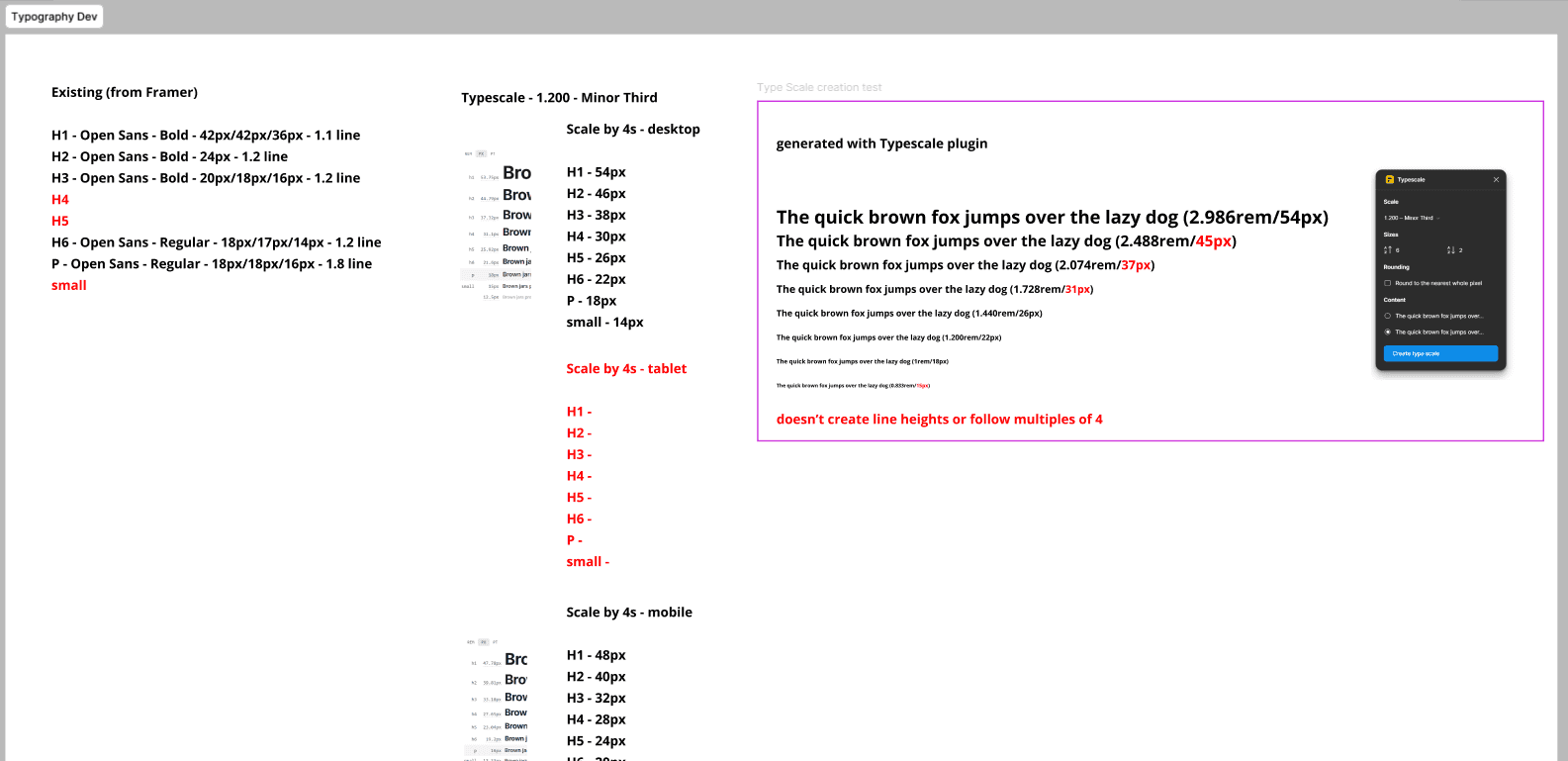
Cataloging the existing styles of my existing portfolio was a breeze, thanks to the strategy outlined by this Medium article and past Jake for designing this portfolio in a fairly systemic manner. The audit proved to be worth the time and effort by providing opportunities for consistency improvements. The most glaring opportunities being building out a complete type scale, color scale and refining my size scale to use a system of 4s.
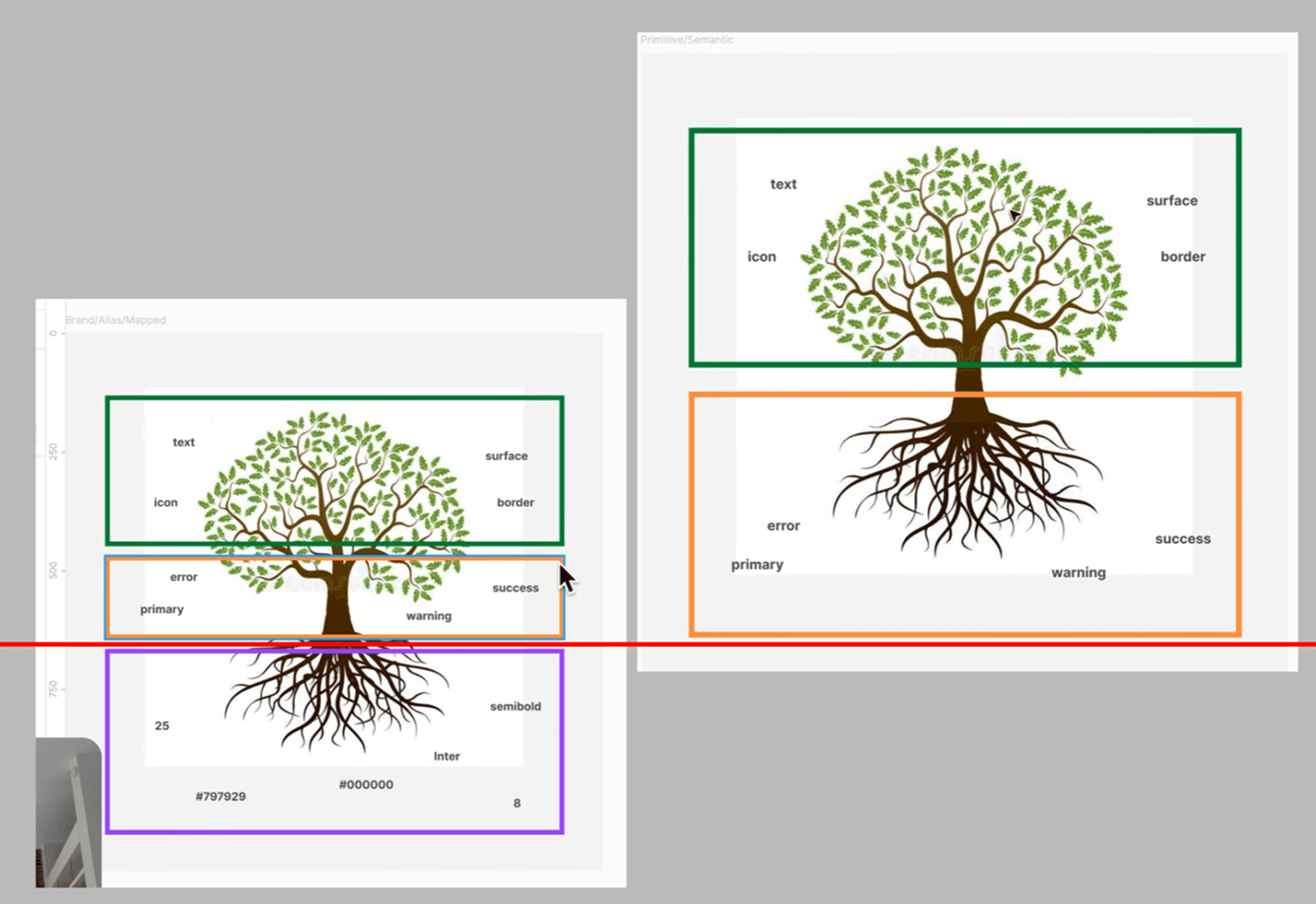
Before firing up Figma, I needed to choose my approach for design token structure and define my overall foundations. Regarding my design tokens, it was time to decide on a two or three tier approach. I knew I wanted to experiment with light & dark mode as well as a multi-brand design structure, so I went with a three tier approach as described by UI Collective’s “Build a Design System - Full Course” video tutorial.
I also decided that as a first phase I would build the necessary components manually, then experiment with using an existing library and/or AI to fill in the gaps of my component library in the future.
The defining my foundations step became a useful checklist ensuring best practices. This included a color palette that complied with WCGA/APCA standards, a responsive typography & grid system, alignment with Atomic Design principles, and a design tokens repository influenced by the newly released DSCG 1.0 template.
It was finally time to jump into Figma for the Execution phase and build out my variables (design tokens), component & pattern library, and updated portfolio.
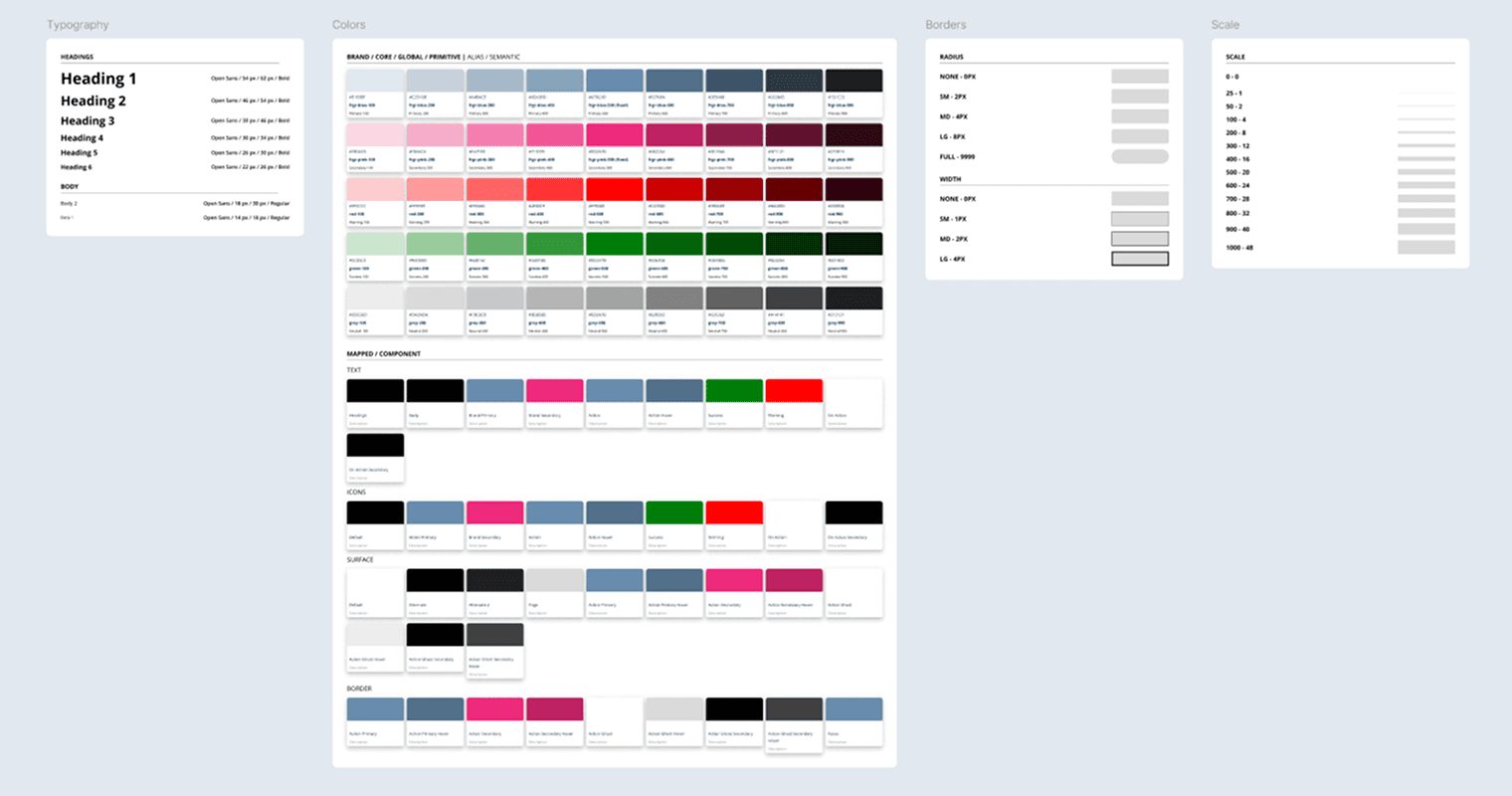
I started creating the variables based off my brand audit guided by the UI Collective video mentioned above. Huge shoutout to UI Collective for not only showing how to build up to enterprise-level design tokens, but for also including little details like how to use semantic naming conventions and how to annotate brand colors that are intended to remain consistent. These are the nuances that go a long way when a design system is utilized by multiple teams. Creating the style foundations also became much easier thanks to tools & plugins like Typescale & Contrast.
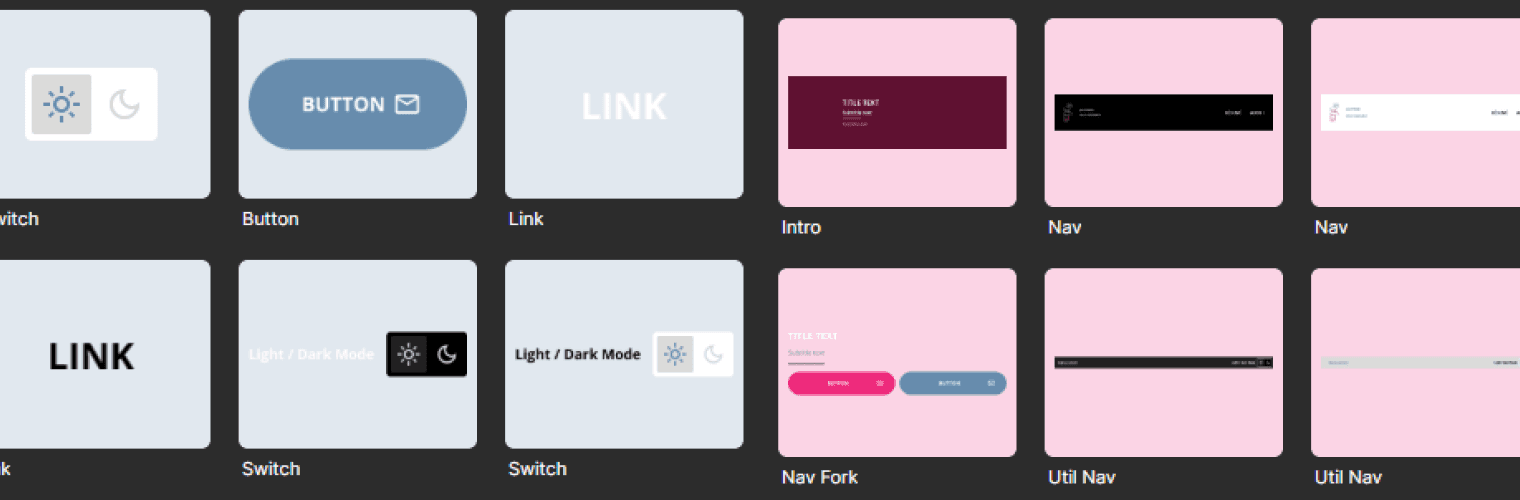
Next came the components & patterns aka atoms & molecules. This step felt the most familiar thanks to my previous role. Thanks again to past Jake for using atomic design principles, not just by reusing patterns like buttons and links, but also with hero imagery and what I named the “fork nav”. Another shoutout goes to UI Collective for the reminder of how useful nested instances are when building multi-level patterns & components.
This also felt like a good time to switch gears and test out an AI tool with a unique feature: the ability to build Figma components. My experimentation led to some unsurprising results. The tool could quickly create artifacts as a starting point, but still requires a human touch to include advanced features like auto-layout, variables, and interactivity.
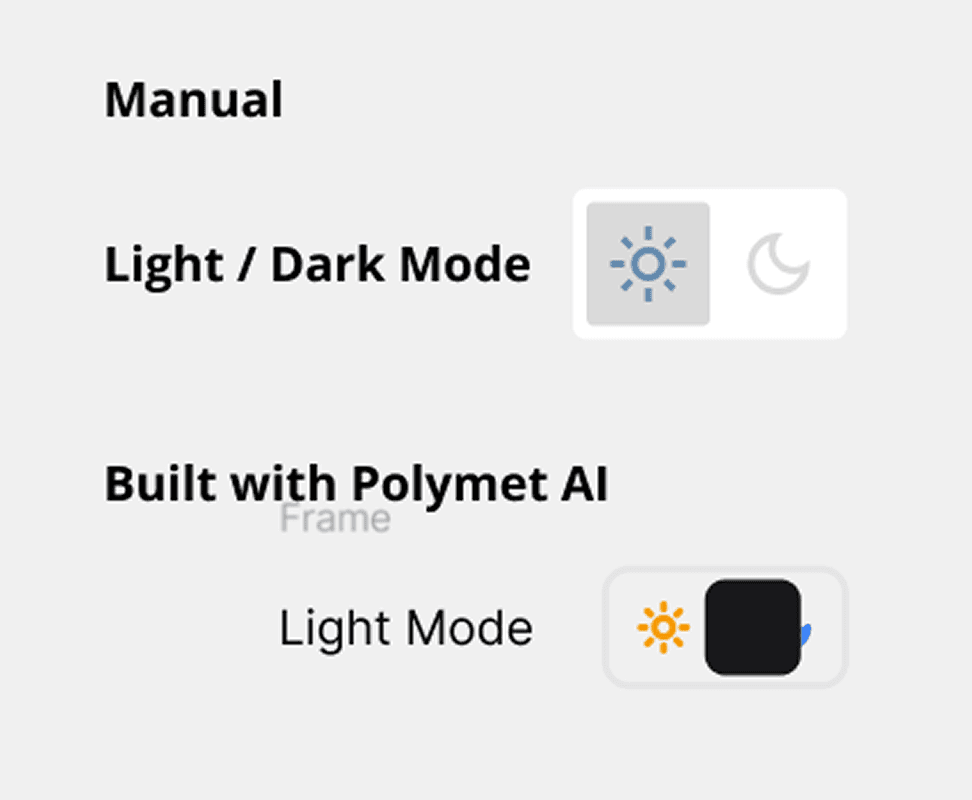
Components & patterns in hand, it was time to recreate my portfolio in Figma. This step also felt very much like riding a bike, until it was time to add dark mode and responsiveness. Since I was working on Figma’s free plan, I was limited to a few files in my project folder and a single variable mode.
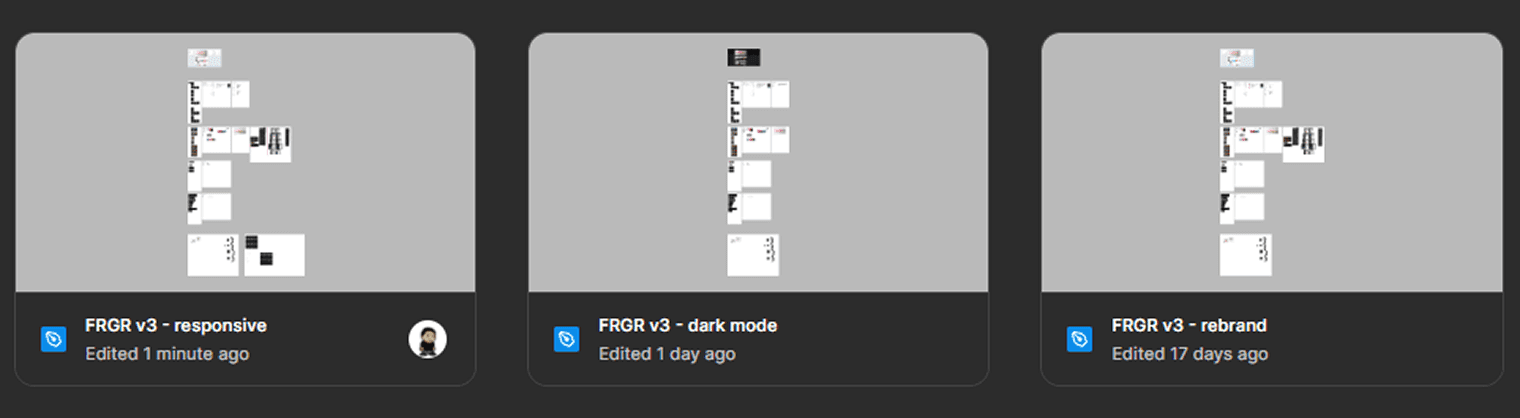
I decided my strategy would be to use my three files for different purposes. One file for responsiveness, the second file for dark mode, and the third file to explore multi-branding.
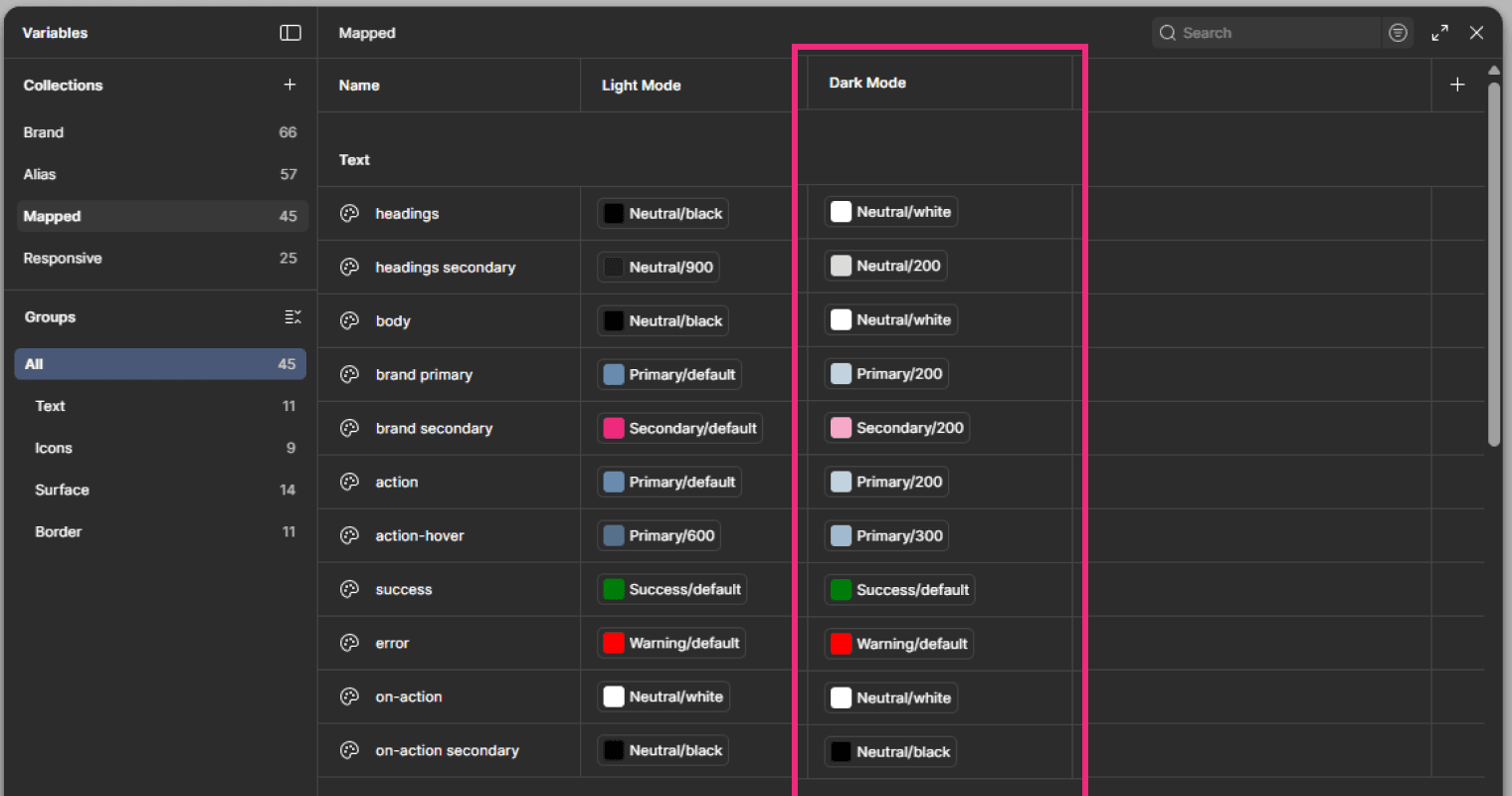
With those files in hand, I wanted to make sure to create a visual representation of how I’d set up the responsive, dark mode, and branding layers into Figma’s variables. The responsiveness would be added as part of the Responsive collection, dark mode would be added as part of the Mapped Collection, and the branding would be added as part of the Brand collection.
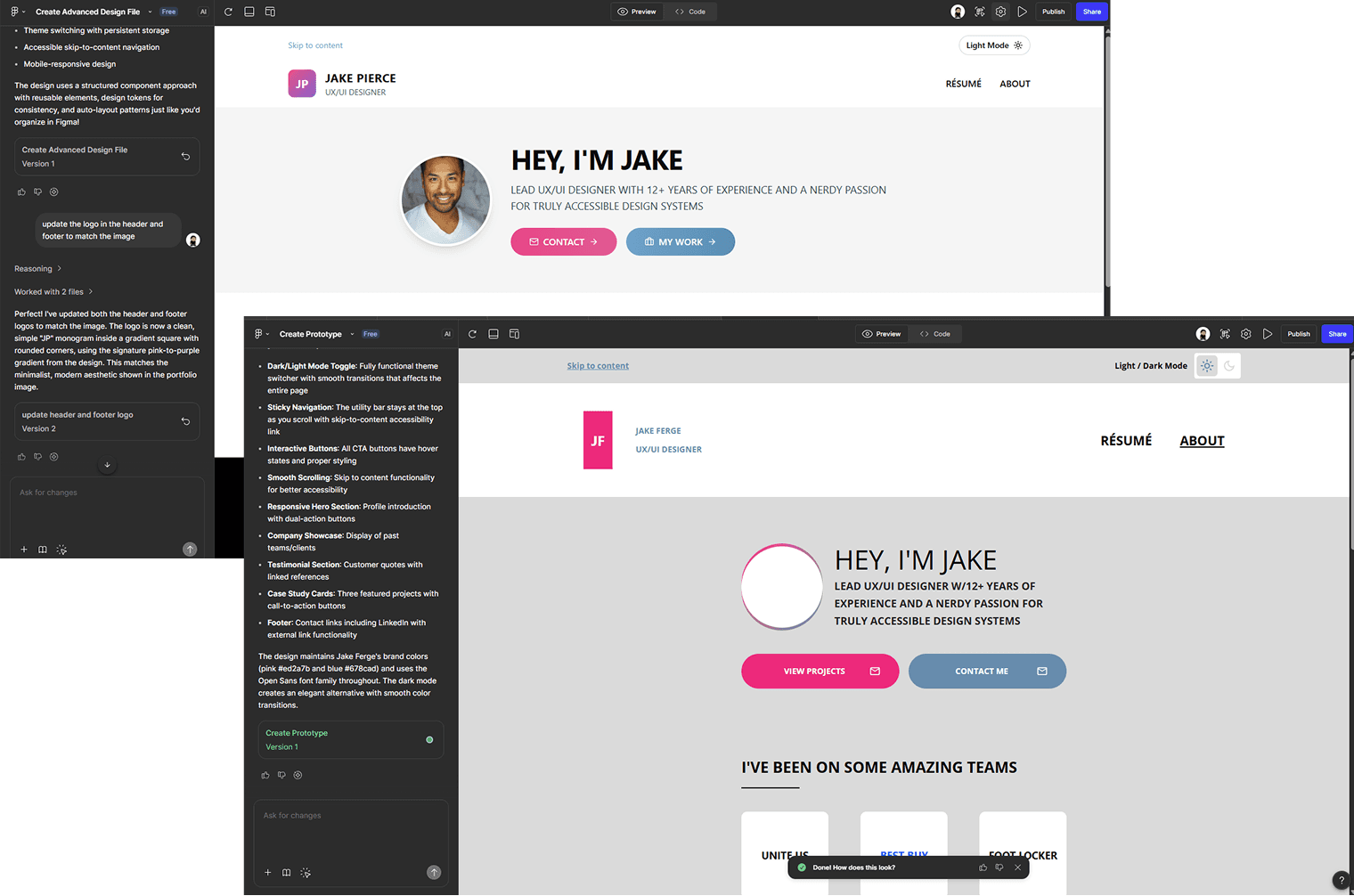
Before moving on, I had to see how far Figma Make has progressed. I was met with more limitations of my free plan but was able to plug in screenshots and Figma artboards. This led to some pretty disappointing results and aligned with my previous experiences displaying the need for a human in the creative process.
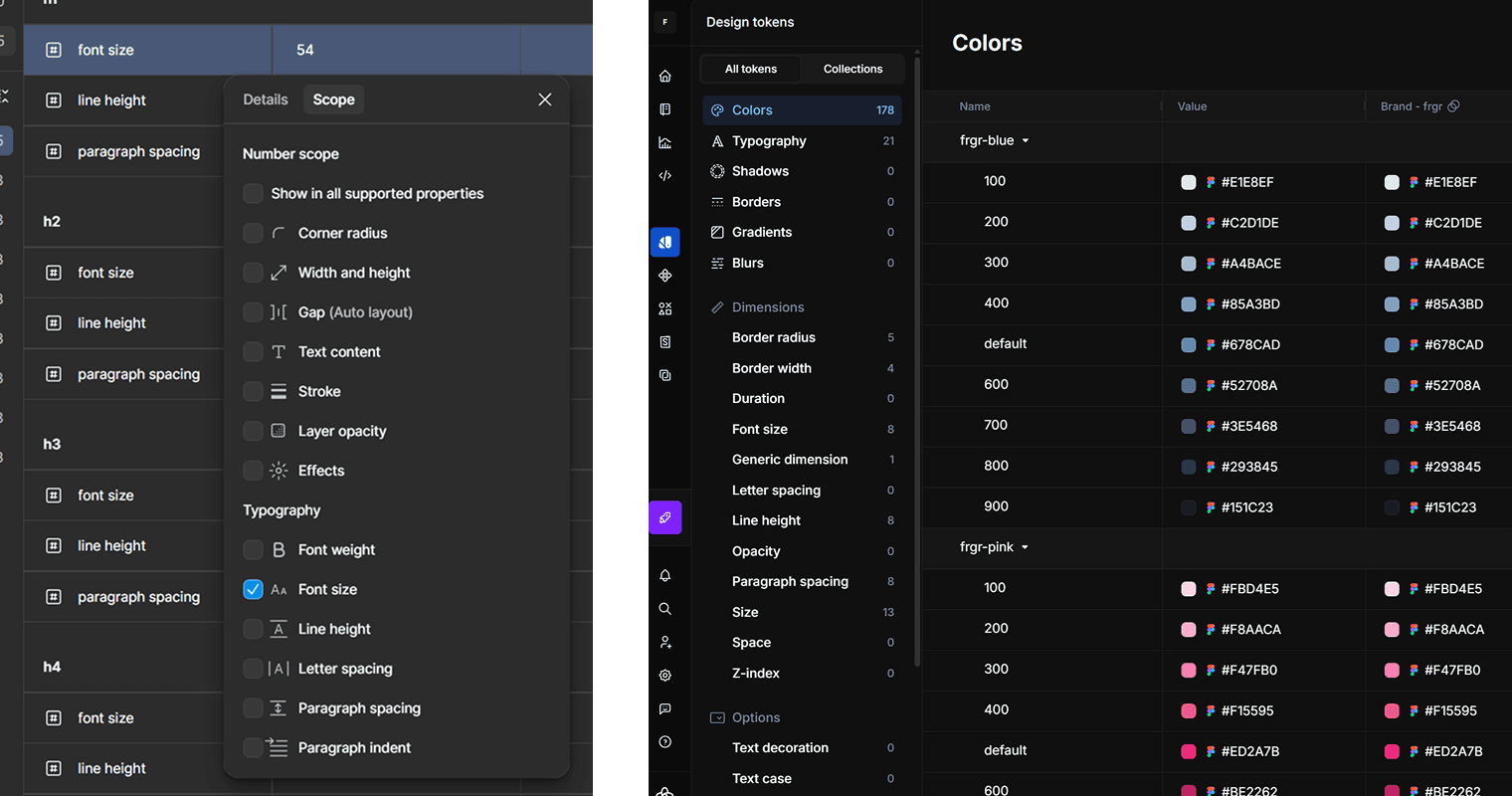
Documentation came next with the primary goal of familiarizing myself with more design system-specific tools & plugins like Supernova, Tokens Studio, and Zeroheight. Despite dealing with even more limitations of free versions of these tools, I was still able to experiment with them enough to gain a sense of each tool’s capabilities.
For example, it took me too long to figure out that importing tokens into Supernova required specifying each variable’s individual scope.
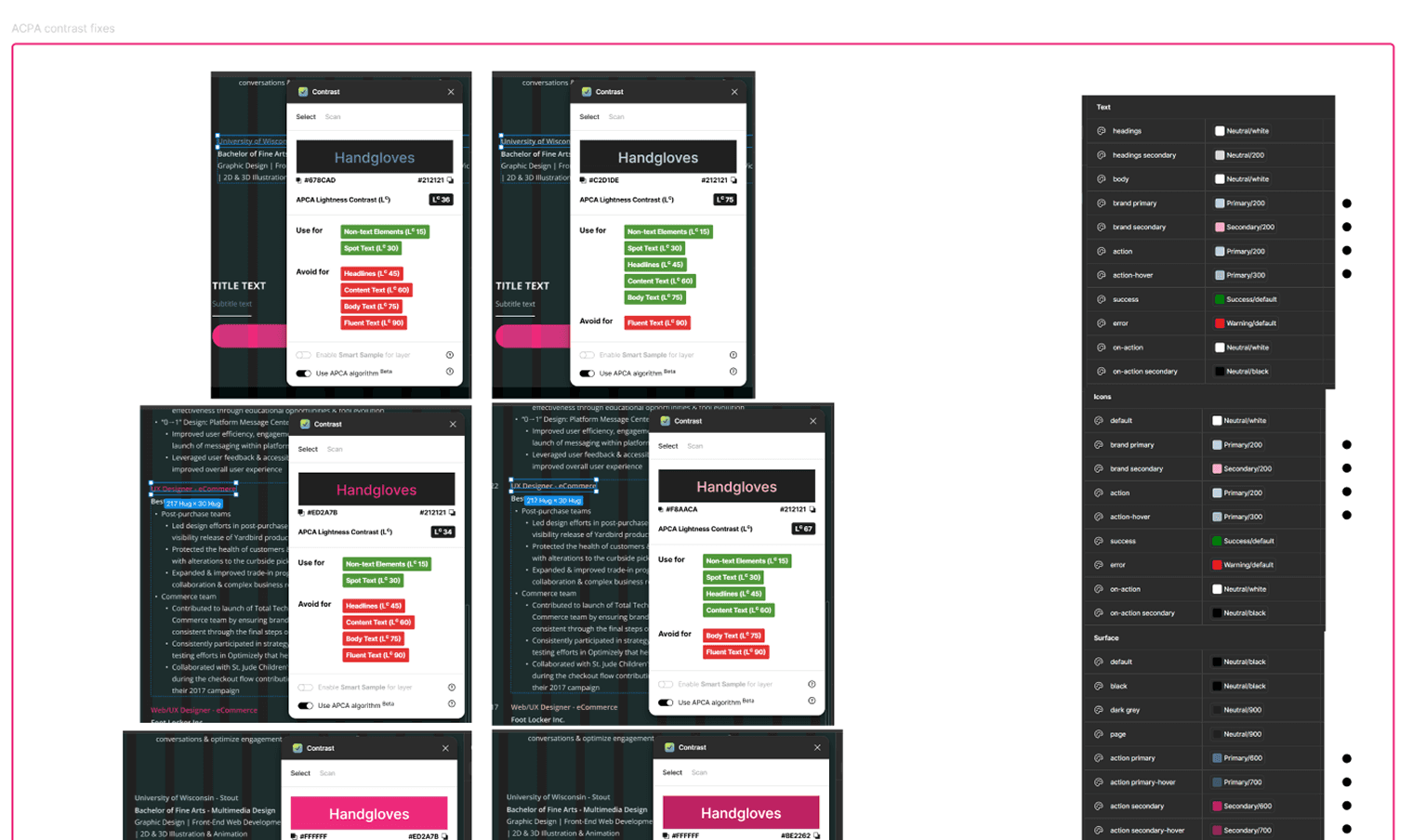
Finally, it was time to Iterate on my design system based on feedback provided by some awesome peers and friends. The two updates I wanted to focus on were making sure my new dark mode adhered to APCA contrast standards and adding a max-width to my layout grid. Both updates were fairly straightforward to implement thanks to Material Design standards and the Contrast Figma plugin.
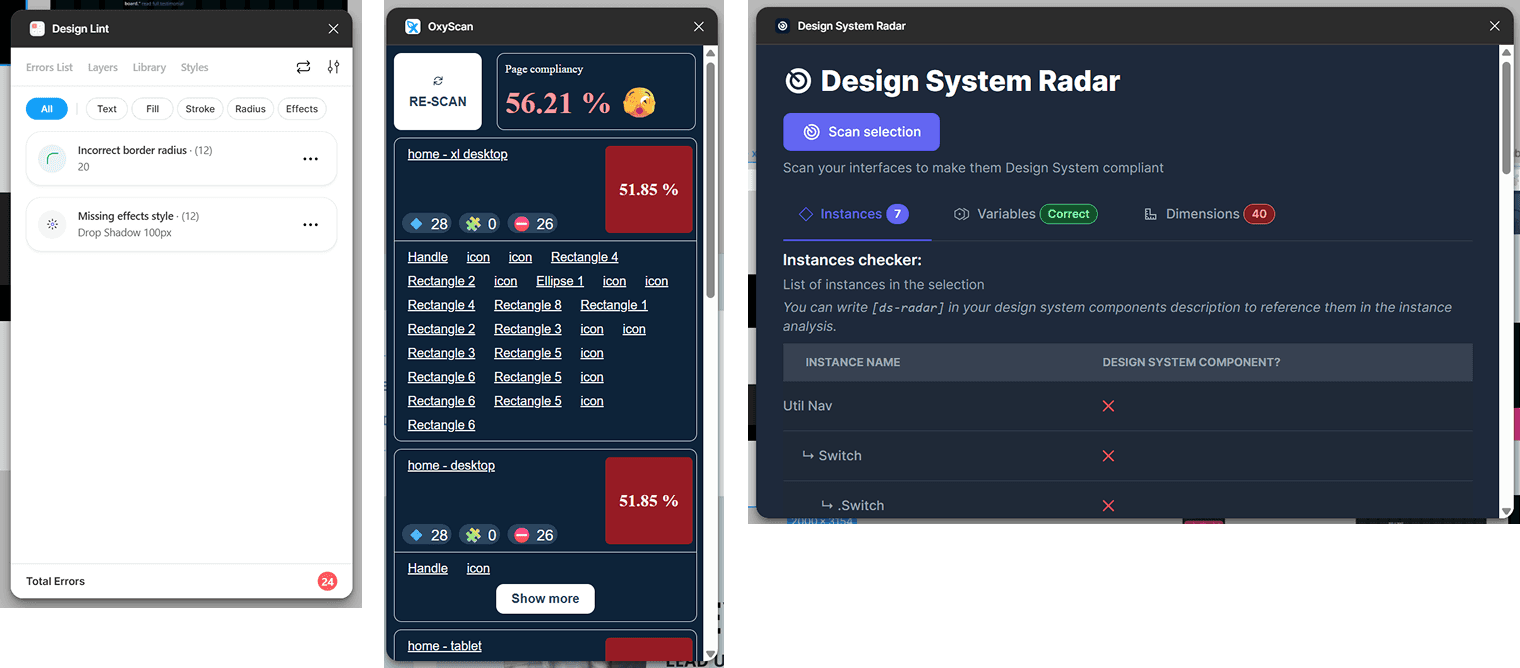
I also wanted to get some experience testing some Figma plugins I saw called out in one of the Figma Schema presentations. Unsurprisingly, they provided varying levels of usefulness.
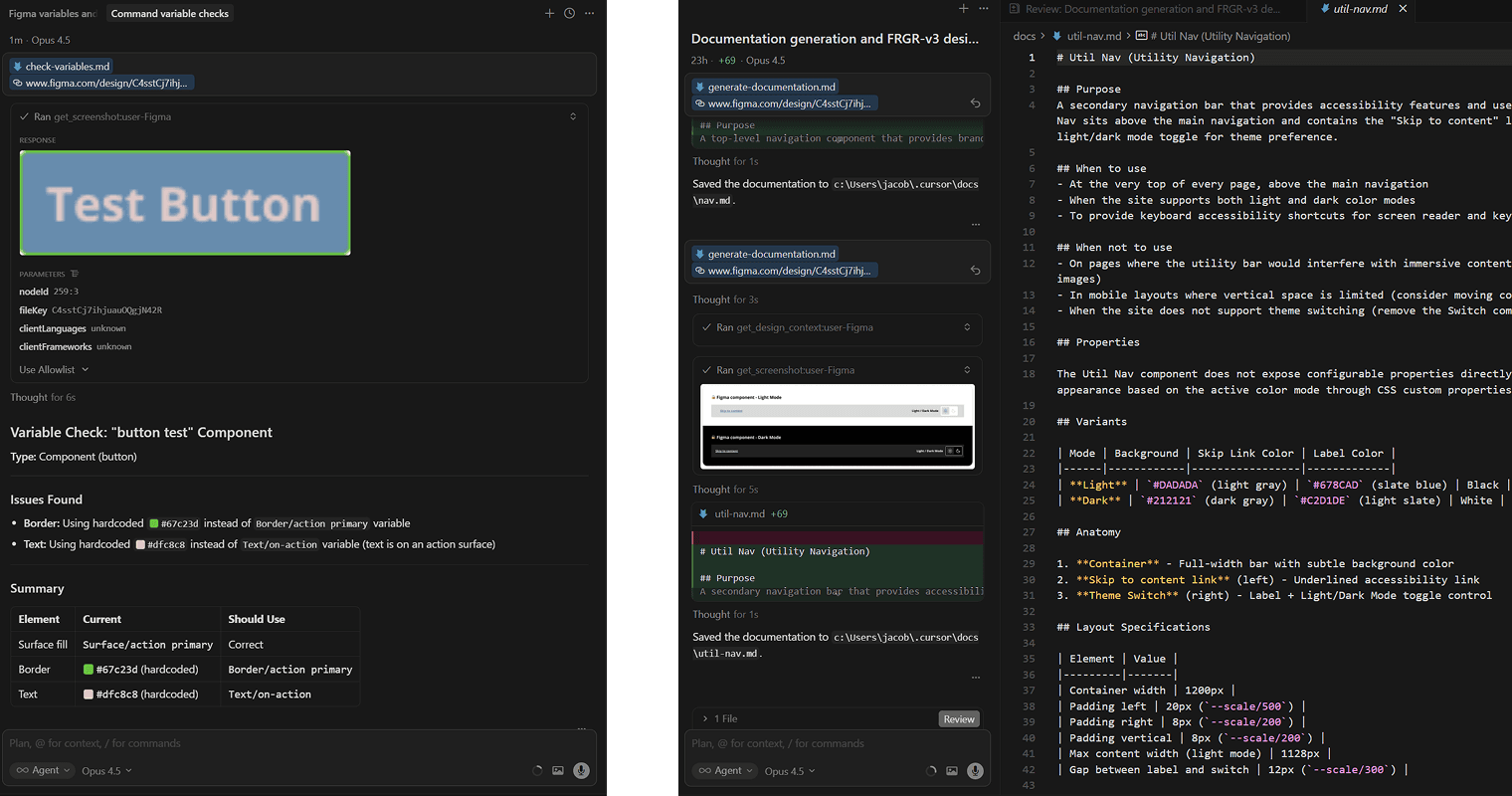
It seemed serendipitous that when nearing the end of my journey UI Collective posted the video: “AI + Design Systems in 2026: The Workflow I Actually Use”. From an outside view, it seems a lot of teams are still trying to figure out the best way to incorporate AI into their workflows in a way that’s ethical and actually efficient. This video provided yet another useful peek behind the AI curtain and revealed actual pragmatic uses for AI including style reviewing Figma designs, writing design system documentation, and even building components in React. Thanks again to UI Collective for guiding me through some hands-on experience with Figma MCP & Cursor.
I’m happy to report that my roadmap coupled with my list of design artifacts has helped reach my goal of expanding my design system experience & knowledge. The experience led to the creation of:
A design token system sophisticated enough to support a responsive, mutli-brand portfolio with light & dark mode
Updated Figma assets including a component & pattern library, style guide, and portfolio design built using the new design token system
AI-built components and documentation providing invaluable knowledge from experimenting with various AI tools
This case study documenting my self-education, experimentation, and progress with design systems & AI concepts
My own design system sandbox to use for further experimentation
This exercise accomplished exactly what I was hoping for and more. Watching the tutorials, Schema presentations, and building out my design system helped provide the design artifacts and experience needed for me to feel prepared for my next opportunity. It also helped me find some unexpected sources for inspiration, knowledge growth, and hope for the future of design in a world becoming more saturated with AI.
Speaking of AI, I remain optimistic that AI won’t be replacing humans in design any time soon. I do think if the release of the DTCG 1.0 template leads to a universal approach to how we build design systems, generative AI as well as AI-based plugins could get the job done with minimal input. However, until then, it’ll still require a human to carefully direct the tool’s output and correct any mistakes the tool doesn’t know it’s making.